

You’re staring at your laptop, notebook full of half-baked ideas, watching other creators launch products left and right while you’re still stuck on step one. Sound familiar?
Let me guess… you’ve got the ideas. You know you should create something. But every time you sit down to actually do it, you get overwhelmed by the tech, the positioning, the sales pages, the email sequences… and suddenly it’s three months later and you haven’t launched a damn thing.
I get it. I’ve been there—staring at that blinking cursor, convinced I needed everything to be perfect before I could put anything out into the world.
Spoiler alert: I was wrong. And that perfectionism cost me six months of potential income.
Here’s the truth: launching your first digital product doesn’t require months of prep, fancy tech skills, or a massive audience. It requires a decision, a deadline, and a plan. That’s it.
So let’s cut through the noise and break down exactly how to launch your first digital product in 7 days—yes, seriously, just seven days—even if you’re starting from absolute scratch.
I know what you’re thinking. “Seven days? That’s impossible. I need time to plan, to perfect, to—”
Stop right there.
Here’s what happens when you give yourself too much time: you overthink. You research yourself into paralysis. You convince yourself your idea isn’t good enough. Meanwhile, you’re watching twelve more YouTube tutorials when you should be building.
The seven-day timeline isn’t arbitrary—it’s strategic. It forces you to:
I launched my first digital product (a simple digital toolkit) in several hours and launched within the week. Was it perfect? Hell no. Did it make money? Absolutely. Did it teach me more than six months of “getting ready to launch” ever could? You bet.
Speed is your competitive advantage when you’re starting out. While everyone else is still planning, you’re already learning from being out in these internet streets.
Before we dive into the seven days, let’s get honest about where you’re actually starting from.
You don’t need:
You DO need:
Still with me? Good. Let’s build this thing.
This is where most people get stuck forever, so we’re moving fast.
Your mission today: choose ONE product idea and commit to it. Not three ideas. Not “let me validate five options.” ONE.
Here’s my favorite gut-check method—set a timer for 15 minutes and answer these questions about each idea you’re considering:
The idea that gets the most “yes” answers wins. Done. Moving on.
My first product was a toolkit because I’d spent months figuring out a system that worked for me. I knew dozens of creators who struggled with consistency, and I could explain it in one sentence: “A plug-and-play system that’ll help you get clear on your goals and the plan to take action.”
No overthinking. No second-guessing. Just pick something and let the deadline do its job.
By end of day: Write your product idea at the top of a document. Underneath, write one sentence describing who it’s for and what problem it solves.
Today is all about defining what you’re actually creating—and more importantly, what you’re NOT creating.
Your first digital product doesn’t need to be comprehensive. It needs to solve ONE specific problem really well.
Strip your idea down to the absolute essentials:
For example, if your idea is “help busy moms meal plan,” your MVP isn’t a 100-page cookbook with grocery shopping integrations and nutritional breakdowns. It’s a four-week meal planning template with simple recipes and a shopping list. That’s it.
I’ve seen too many people spend weeks building elaborate courses when their audience just wanted a simple checklist. Don’t build a mansion when people need a tent.
Here’s your action plan for today:
By end of day: You should have a clear, simple outline of exactly what you’re creating. If you can’t explain it in three bullet points, it’s too complicated.
This is where the rubber meets the road. Two days to create your actual product.
“Two days, max?! But I need to make it professional and polished and—”
Nope. You need to make it functional and helpful. That’s the bar.
Here’s the thing about your first digital product: nobody expects perfection. They expect a solution. Honestly? A “rough around the edges” product that solves a real problem will always beat a beautifully designed product that doesn’t deliver.
Your creation gameplan:
Day 3—Build the bones:
Day 4—Add the polish (but not too much):
Pro tip: Set a timer for 3-hour work blocks. You’d be amazed what you can create when you have a hard deadline and no room for perfectionism.
When I created my first toolkit, I gave myself exactly six hours. The first version was some PDFs that I rebranded and stitched together. Did it look like something a professional designer made? Absolutely not. It looked good enough though. Did it help people get the result they were looking for? Hell yes.
Deep breath. Today we’re making it possible for people to actually buy your product.
The good news? You don’t need a fancy website, complicated sales funnels, or expensive software. You need three things:
Your sales page doesn’t need to be War and Peace. It needs to clearly answer:
Write like you’re explaining it to a friend over text. Keep it conversational, focus on benefits over features, and for the love of all things holy, don’t write a novel.
Price it between $27-$97 for your first product. Don’t underprice because you’re nervous (you’re providing value), but don’t overprice before you’ve proven the concept.
This is also the perfect time to mention the Sis, Just Launch It AI Toolkit—because honestly? This is exactly where most people get stuck. Writing sales copy, creating product descriptions, positioning your offer… it’s overwhelming when you’re doing it for the first time.
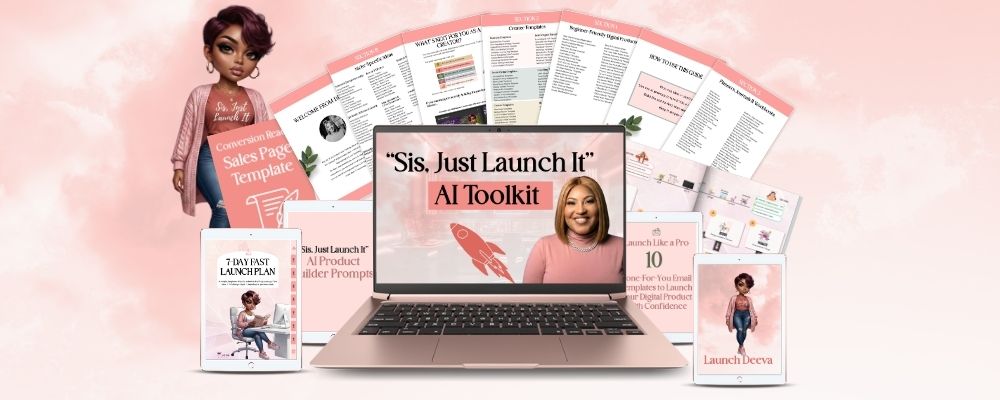
The toolkit includes AI prompts that help you write your sales page, craft your product positioning, and create all the content you need to launch without spending hours staring at a blank screen. It’s like having a copywriter in your back pocket, minus the $3,000 price tag.
By end of day: Your sales page should be live (even if it’s imperfect) and your payment system should be ready to accept money.
Here’s where fear usually kicks in. But you’ve come this far, so don’t chicken out now.
You don’t need to promote to thousands of people. You need to promote to the RIGHT people. That starts with the audience you already have, no matter how small.
Your launch day promo plan:
Morning:
Afternoon:
Evening:
You’re not being pushy. You’re letting people know about a solution that can help them. There’s a difference.
I was TERRIFIED to promote my first product back in the day. I posted about it once, super casually, like “hey I made this thing if anyone wants it…” and then immediately wanted to delete it. But you know what? Three people bought it in the first hour. Three people who actually needed what I created.
That’s your job today—tell people you created something helpful. That’s it.
Launch day is here. Pop the champagne (or the coffee… I won’t judge 😊).
Today isn’t about making a million dollars. It’s about getting your first product into the world and learning from real feedback.
Your launch day checklist:
The most valuable thing that happens on launch day isn’t the money (though that’s nice). It’s the data. You learn what resonates, what confuses people, what questions come up, and what you need to improve.
My first launch made $81. Not life-changing money, but life-changing proof that people would pay for something I created. That momentum carried me through creating product number two, then three, then building a six-figure digital product business.
But it started with shipping something imperfect in seven days.
Let’s address the elephant in the room.
What if you follow this entire plan, launch your product, and… crickets?
First, that’s super unlikely if you’ve created something that solves a real problem for a specific person. But let’s say it happens.
Here’s what you do: you learn and iterate.
Ask yourself:
Your first launch is data collection. Every launch after that gets better because you’re learning what works for YOUR audience with YOUR products.
Plus, you now have a complete product. You can refine it, repackage it, bundle it, or use it as a freebie to grow your list. Nothing is wasted. (I still do this today!)
Let’s bring it home.
Seven days. One product. Infinite possibilities.
The difference between people who have digital products and people who just talk about creating them? The first group set a deadline and shipped something imperfect.
You can spend the next three months researching, planning, and “getting ready,” or you can spend the next seven days building something real that helps people and makes you money.
If you’re ready to finally stop overthinking and start launching, the Sis, Just Launch It AI Toolkit was literally made for this moment. It includes prompts to help you brainstorm product ideas, write your sales copy, create launch content, and handle every piece of the puzzle that typically slows people down. Think of it as your launch co-pilot—keeping you on track, making decisions faster, and actually getting this thing done.
Your seven days start now. What are you going to create?

Digital Product AI Creator & Mentor